
Best memory foam seat cushions can make a noticeable difference when your chair feels fine for 10 minutes, then your tailbone, hips, or lower back start complaining. The right cushion is not just “soft,” it supports your pelvis, reduces pressure points, and keeps you stable so you stop shifting all day.
But shopping gets weird fast: gel layers, “orthopedic” claims, U-shapes, extra-thick slabs, and a dozen covers that look identical in photos. Many people buy one based on thickness alone, then end up perched too high, sliding forward, or feeling hotter than before.
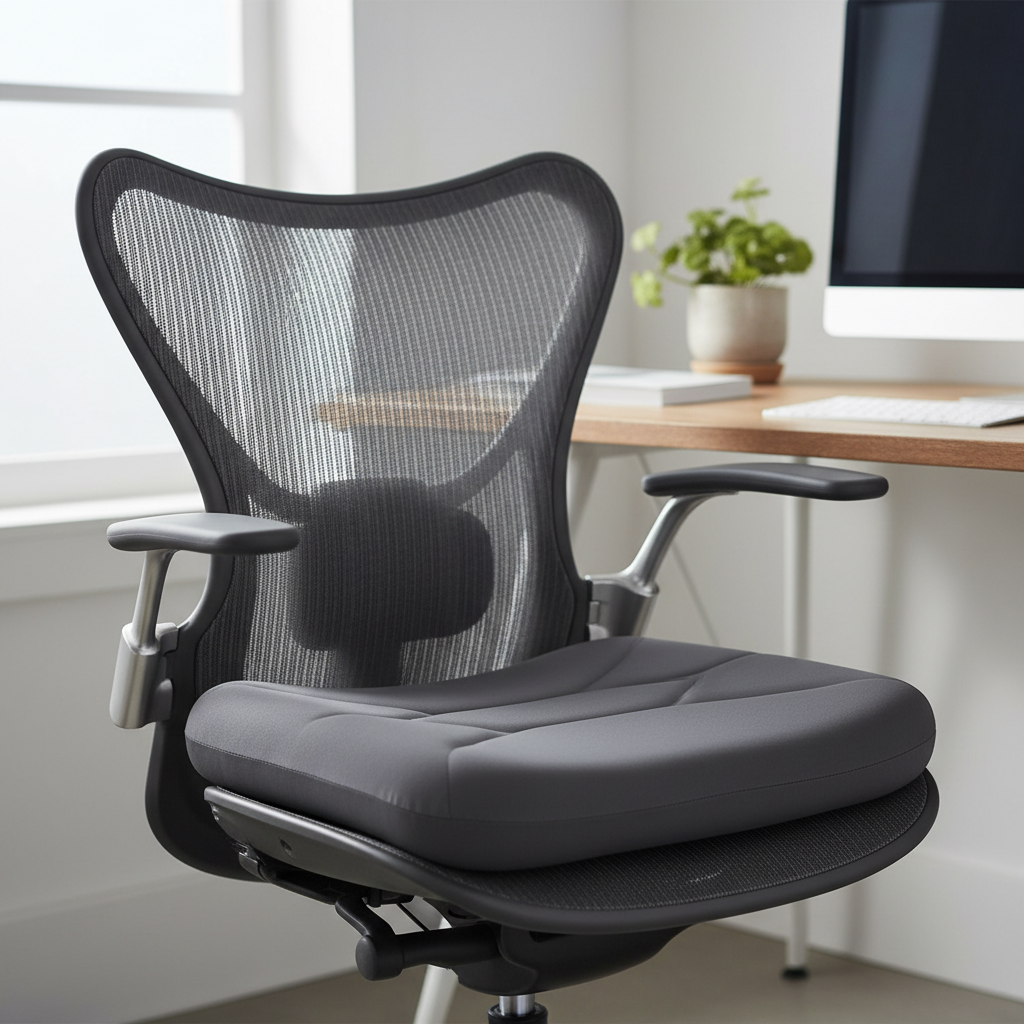
This guide focuses on what actually matters in real use: your chair type, your body build, how long you sit, and whether you need tailbone relief or general comfort. You’ll also get a quick comparison table, a self-check list, and practical setup tips so the cushion helps instead of creating a new problem.
What makes a memory foam seat cushion “the best” (in real life)
The “best” option depends on what you’re trying to fix. A cushion that feels amazing on a dining chair might feel unstable on an office chair, and a thick cushion that helps a heavier sitter might throw a shorter person’s desk height off.
- Support, not just softness: memory foam should distribute pressure while still holding your pelvis steady.
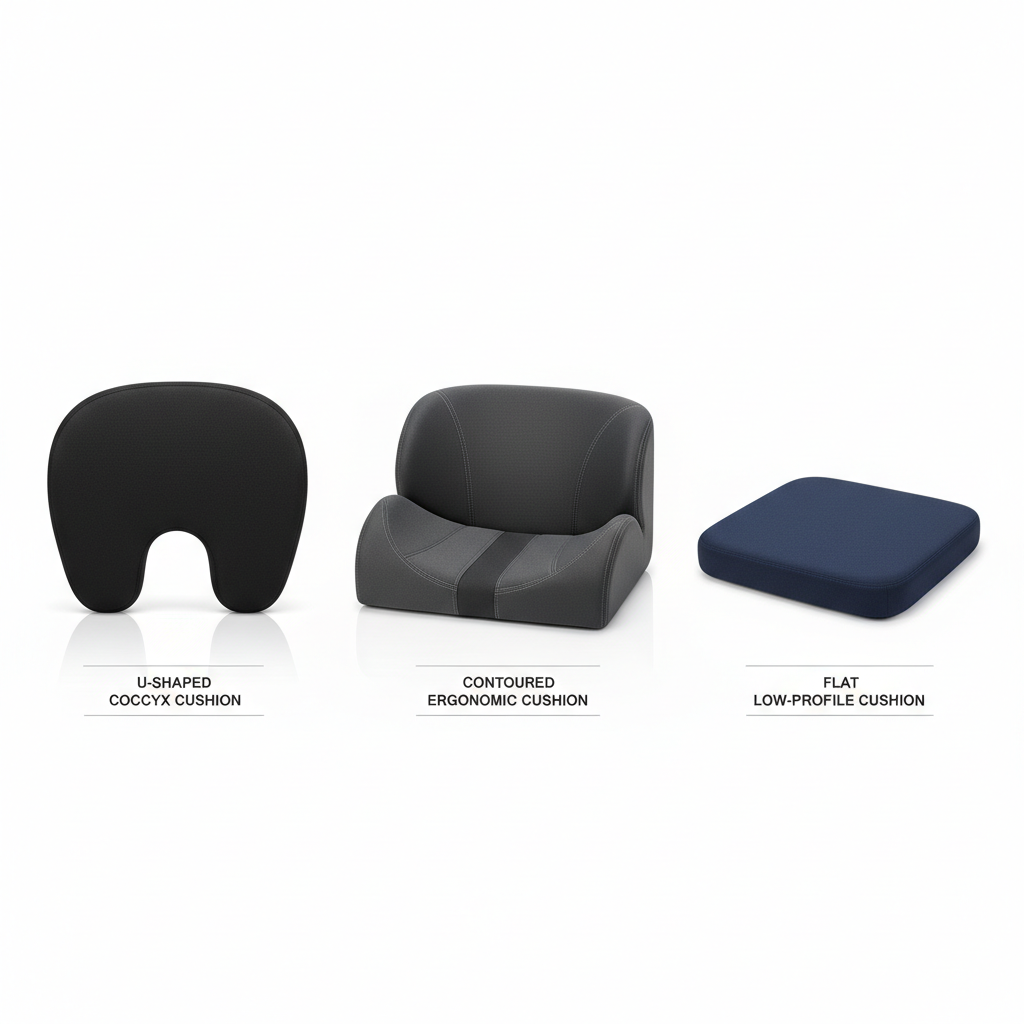
- Shape that matches your goal: U-shaped cutouts often target tailbone pressure, flatter contours suit general comfort.
- Chair fit: a cushion that overhangs can cause sliding; one that’s too small can concentrate pressure.
- Heat management: dense foam can run warm; breathable covers and ventilation channels can help.
- Durability: low-density foam tends to “bottom out” over time, especially with daily long sits.
Quick comparison table: common types and who they’re for
Most best memory foam seat cushions fall into a few predictable categories. Use this table to narrow your search before you look at brands.
| Type | Best for | Potential downside | What to look for |
|---|---|---|---|
| Contoured “U-shape” | Tailbone (coccyx) pressure, post-injury comfort | Cutout can feel odd if you don’t need it | Stable base, non-slip bottom, moderate thickness |
| Flat/low-profile | Desk chairs where height matters, shorter users | Less dramatic relief for pressure points | High-density foam, grippy cover, 2–3 inch range |
| Extra-thick “booster” | Very firm chairs, heavier users, height boost | Can raise you too high for desk ergonomics | Firm core, edge support, straps if needed |
| Memory foam + gel layer | People who run warm, long sitting sessions | Gel feel varies, sometimes still gets warm | Breathable cover, ventilation channels, return policy |
| Wedge/forward tilt | Encouraging anterior pelvic tilt, posture coaching | Not ideal for everyone; may stress knees | Gentle slope, anti-slide design |
Self-check: choose the right cushion in 2 minutes
If you only do one thing before buying, do this. It helps you avoid the classic “too thick, too soft, wrong shape” loop.
Your discomfort pattern
- Tailbone pain: consider a U-shaped cutout or a pronounced rear relief channel.
- Hip soreness or numbness: look for thicker, higher-density foam with contouring that spreads pressure.
- Lower-back fatigue: a seat cushion can help, but pairing with lumbar support often works better than chasing thickness.
- Runs hot: prioritize breathable covers, perforated foam, or a ventilated design over “cooling” buzzwords.
Your chair and setup
- Office chair with a waterfall edge: avoid cushions that push you forward off the backrest.
- Dining chair or wooden chair: you can usually go thicker without messing up desk height.
- Car seat: check that the cushion doesn’t interfere with driving position, pedals, or seatbelt fit.
- Desk height already borderline: a low-profile cushion often beats an ultra-plush one.
How to evaluate a cushion before you commit (materials, feel, and fit)
Online listings can look identical, so you need a few practical signals that correlate with comfort and longevity.
Density and “bottoming out”
Many people confuse memory foam “sink” with support. A cushion that collapses to the chair pan after 20 minutes usually feels worse than no cushion at all. In many cases, higher-density foam holds shape longer, especially for daily use.
Thickness: when more is not better
Thicker cushions can reduce pressure, but they also raise your sitting height. That changes elbow angle, monitor height, and how your feet contact the floor. If your feet start dangling or you feel you’re reaching up to the keyboard, the cushion is likely too tall for your workstation without adjustments.
Cover and grip
- Removable, washable cover: helps with sweat and everyday wear.
- Non-slip base: matters more than people expect, sliding creates “micro-tension” in hips and back.
- Breathable fabric: mesh or textured knit typically feels less clammy than smooth polyester.
Practical setup tips: get relief without wrecking ergonomics
This part is where many people win or lose the benefit. A great cushion used in a bad setup can increase strain.
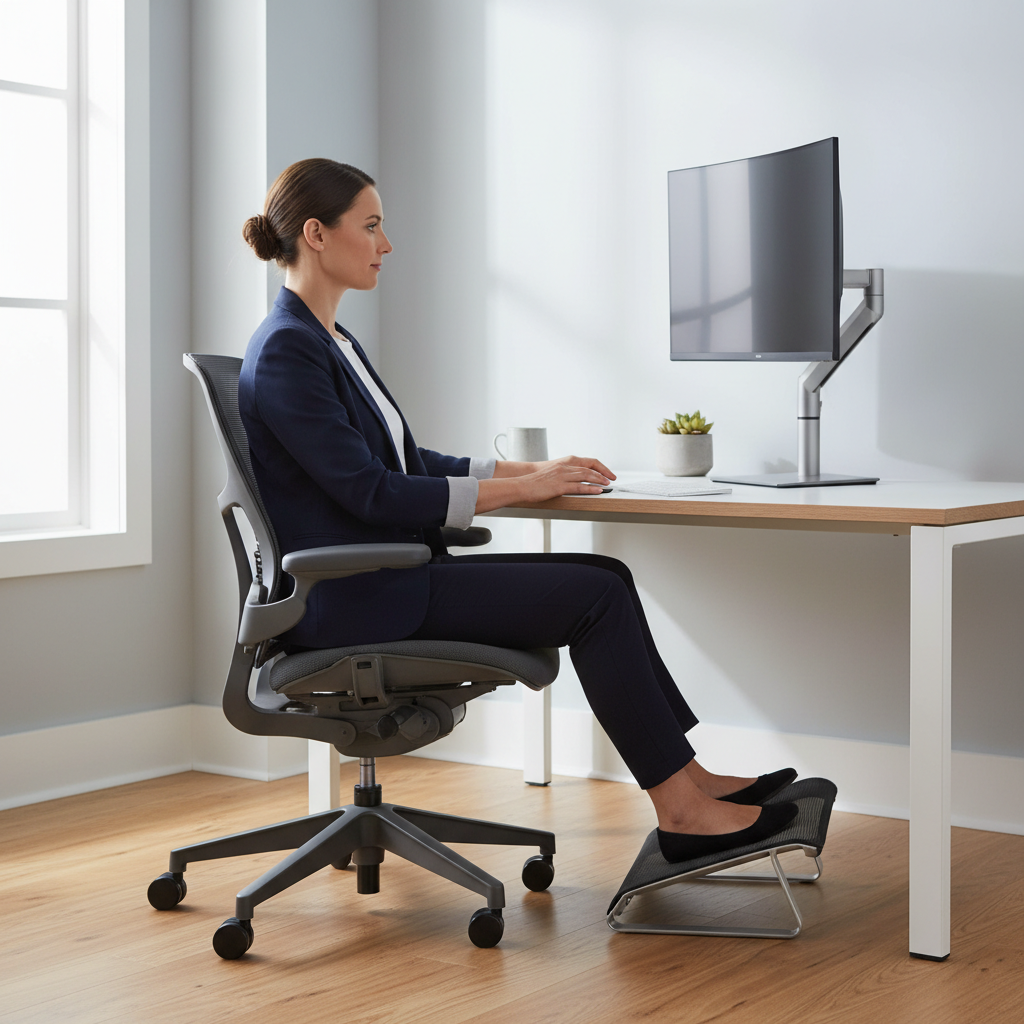
- Reset your chair height: after adding a cushion, re-check that elbows sit roughly level with your desk and shoulders feel relaxed.
- Check foot contact: if heels lift or feet dangle, consider a footrest rather than ditching the cushion.
- Use the backrest again: scoot back so your pelvis is supported by the chair back, otherwise you hover and fatigue faster.
- Give it a week: your body may need a short adaptation period, especially if the cushion changes pelvic position.
According to OSHA, neutral posture and proper workstation setup help reduce musculoskeletal strain risk for many office workers. A seat cushion can support that goal, but it works best when the rest of the setup is adjusted to match.
Common mistakes when shopping for the best memory foam seat cushions
These show up constantly in returns and “it didn’t help” complaints, and they’re usually fixable.
- Buying for your pain, not your chair: a cushion that fits your symptoms but slides on your seat will frustrate you fast.
- Chasing maximum thickness: comfort improves for some people, but desk ergonomics often get worse.
- Expecting it to fix everything: if the chair back support is poor, you may still need lumbar support or a posture break routine.
- Ignoring heat: if you already run warm, pick breathable designs early, not after you’re annoyed.
- Not checking return policy: “feel” is personal, so a reasonable trial period matters.
When a cushion is not enough (and when to ask a professional)
If discomfort is mild and clearly tied to hard seating, the best memory foam seat cushions often help. But if pain is sharp, persistent, or worsening, a cushion may only mask the issue.
- Seek medical guidance if you have numbness, radiating pain down the leg, new weakness, or symptoms after a fall or injury.
- Consider a physical therapist if sitting triggers recurring flare-ups; you may need movement strategies and targeted strengthening.
- Re-evaluate the chair if you rely on a cushion just to tolerate a seat; sometimes the chair’s shape is the real problem.
According to the CDC, ergonomics and safe work practices can reduce the likelihood of workplace musculoskeletal problems in many settings. If your symptoms are significant, it’s reasonable to discuss them with a qualified clinician who can assess your specific situation.
Key takeaways and a simple buying plan
If you want a clean plan, do this: match the shape to your pain pattern, match the thickness to your desk setup, then prioritize stability and breathability. That combination tends to outperform chasing “premium” labels.
- Tailbone pressure: start with a stable U-shaped cutout cushion.
- All-day desk sitting: pick medium thickness, high-density foam, non-slip base.
- Heat issues: breathable cover and ventilated design beat gimmicks.
- Uncertain fit: choose sellers with a realistic return window.
If you’re deciding today, measure your chair seat width, confirm your desk height range, and pick one cushion style to test for a week. Small adjustments beat endless swapping.
FAQ
What thickness is best for memory foam seat cushions on an office chair?
For many office setups, a moderate thickness often works because it adds comfort without raising you too high. If your chair is already at its max low height, a low-profile cushion may be the safer choice.
Do U-shaped coccyx cushions actually help tailbone pain?
They can help when tailbone pressure is the main trigger, because the cutout reduces direct contact. If your discomfort comes more from hips or posture, a contoured cushion without a deep cutout might feel more stable.
Why does my seat cushion make my lower back feel worse?
Usually it’s because the cushion changes pelvic position and you stop using the backrest. Try lowering the chair, adding a footrest if needed, and scooting back so the chair supports you again.
How long do memory foam seat cushions last?
It varies by foam density and how many hours you sit daily. A common sign it’s time to replace is “bottoming out” where you feel the hard chair through the foam within a short period.
Are gel memory foam seat cushions cooler?
Sometimes, at least initially, but “cooling” can be subtle in real rooms. Breathable covers, airflow channels, and taking short standing breaks often matter more than a thin gel layer.
Can I use a memory foam seat cushion in the car?
Many people do, but you should confirm it doesn’t interfere with safe driving posture, seatbelt fit, or pedal control. If you feel less stable or sit too high, switch to a thinner option.
Should I buy a seat cushion or a new chair?
If your chair is decent and you mainly need pressure relief, a cushion is a reasonable first step. If the chair lacks basic support or forces an awkward posture, upgrading the chair may be more effective than stacking accessories.
If you’re trying to narrow down the best memory foam seat cushions without ordering three and returning two, a short shortlist based on your chair size, your pain pattern, and your desk height saves time and hassle, and you end up with a setup you’ll actually keep using.